# GUIDE (AutoEvidence)
[](https://www.python.org/downloads/)
[](LICENSE)
[](https://github.com/yourusername/GUIDE/pulls)
[English](README.md)
### [Read-Friendly Website](https://kimhe-rgb.github.io/GUIDE_INTRO/)
## What is GUIDE 🗺️
GUIDE (Guideline Update Intelligence Decision Engine) is an AI-powered, human-in-the-loop clinical guideline generation interface.
### GUIDE Invents AI Generation of Clinical Guideline ✨✨🤖🧠✨✨
GUIDE supports evidence-based medicine (EBM) workflow for clinical practice guideline generation and updating.
The system is designed to support:
- Clinical practice guideline development
- Guideline updating
- Systematic review workflows
- Evidence mapping
- Evidence-to-Recommendation drafting
- Expert consensus preparation
### GUIDE Advocates Human-in-the-loop 🧑⚕️🩺 🤝 🤖💻
GUIDE is designed as an interactive tool for augmenting human experts. High-volume and rule-based tasks are delegated to specialized AI agents, while medical experts retain oversight, adjudication authority, and final responsibility for judgment-intensive steps.
It is **NOT** intended to replace:
- Human clinical judgment
- Formal guideline panels
- Independent risk-of-bias assessment
- Regulatory review
- Patient-specific medical advice
## Quick Start 🚀
The recommended machine for deployment are:
- A Virtual Machine with Linux Ubuntu 22.04
- A Macbook Pro
### Prerequisites ⚙️🔧
- MacOS or Linux
- Python 3.9+
- npm (For Frontend)
- Redis (For task queue and WebSocket scaling)
- conda (For development deployment)
- Docker & Docker Compose (For production deployment)
- API key for LLM Models
- The LLM model keys should be place properly in `/config` folder
- **guide_web**
- Make sure the frontend project is placed under the project root folder
- Frontend dependencies via `npm install` when `node_modules` is missing
### First-Time Machine Setup
For a first-time user on Linux/macOS machine, run the bootstrap script from the project root:
```bash
bash ./run_bootstrap_script.sh
# After this succeeded, test run in development mode:
bash ./start_development.sh
```
This installs the local development prerequisites used by this repository:
- git, curl, wget, build tools
- Miniconda
- Node.js 20 via nvm
- Redis
- R plus the local plumber/meta-analysis packages
- the `auto_evidence` Conda environment from `environment.yml`
- frontend dependencies via `npm install` when `node_modules` is missing
The development startup flow does not use Docker. `start_development.sh` starts the local R plumber service on `127.0.0.1:8102` and points the backend at that URL.
### Start-up in production mode
Deploying with production mode would require:
- Linux Ubuntu 22.04 Virtual Machine
- Docker + Docker Compose
```bash
bash start_docker.sh
```
## Notes
We are not making the source code of GUIDE publicly available at this stage owing to the safety implications of unmonitored use of such a system in medical guideline workflows. Inappropriate deployment outside expert-supervised settings could lead to misuse in evidence appraisal, recommendation formulation, or clinical decision-support contexts beyond the validated scope of this study.
For peer review only, we have provided the source code, testing dataset, and demonstration video as supplementary materials for the editors and expert reviewers in the submission system.
## Introduction to Each Step
### 1. Clinical Question to Protocol 🙋 ➡️ 🗺️
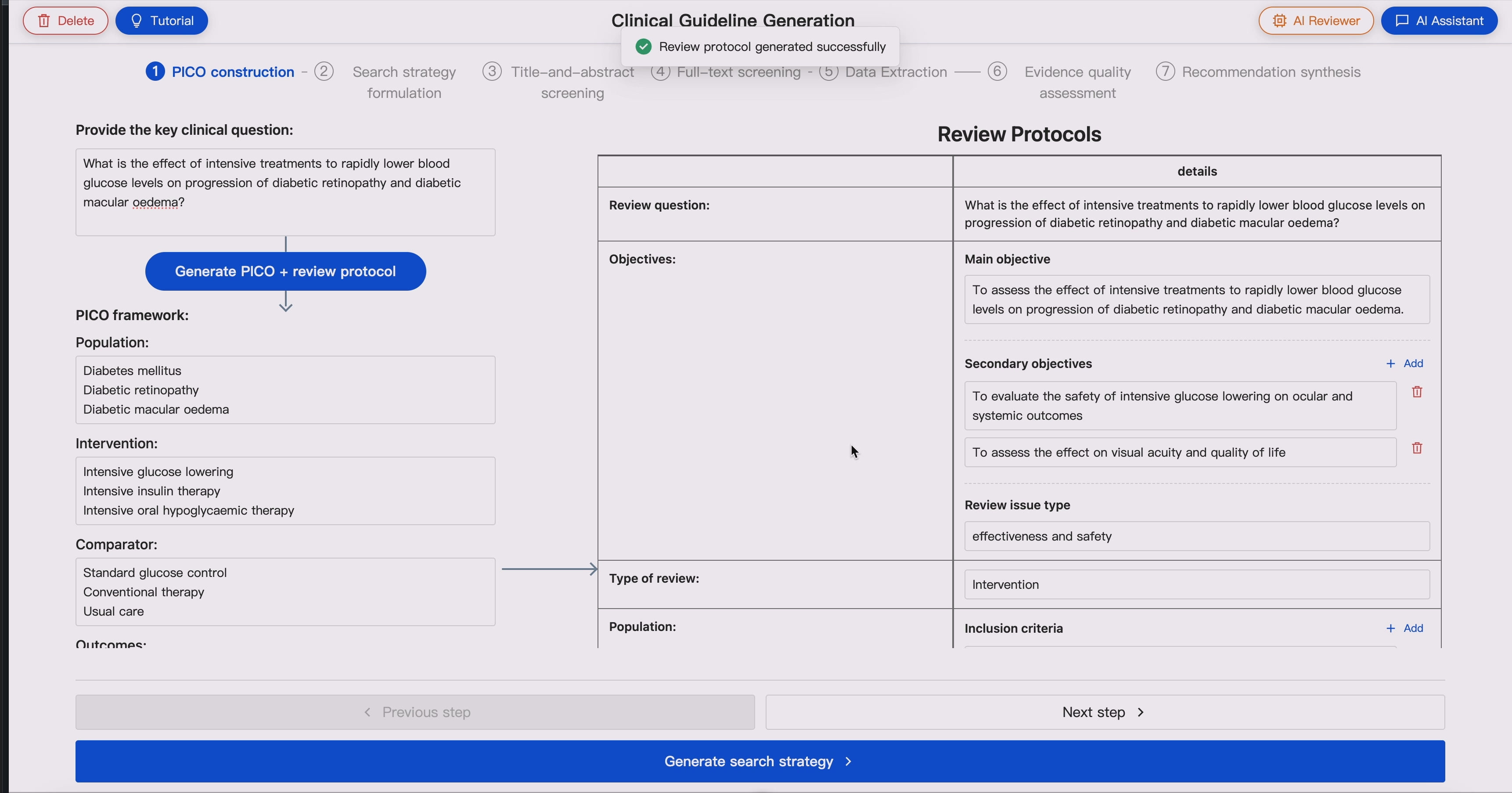
GUIDE starts from decomposing an arbitary clinical questions into **PICO elements**, and generates a structured **Review Protocol** table, which serves as the key controlling paradigm for subsequent steps.
The **Review Protocol** covers the following terms:
- Objectives
- Type of review
- Population
- Intervention
- Comparator
- Outcomes
- Study design
- Crossover studies
- Other exclusions
- Population stratification
- Search criteria
To enhance human-computer-interaction, all fields mentioned above are editable by human experts to control downstream evidence retrieval and screening, outcome extraction, etc.
### 2. Search Strategy Generation 🗺️ ➡️ 🔍
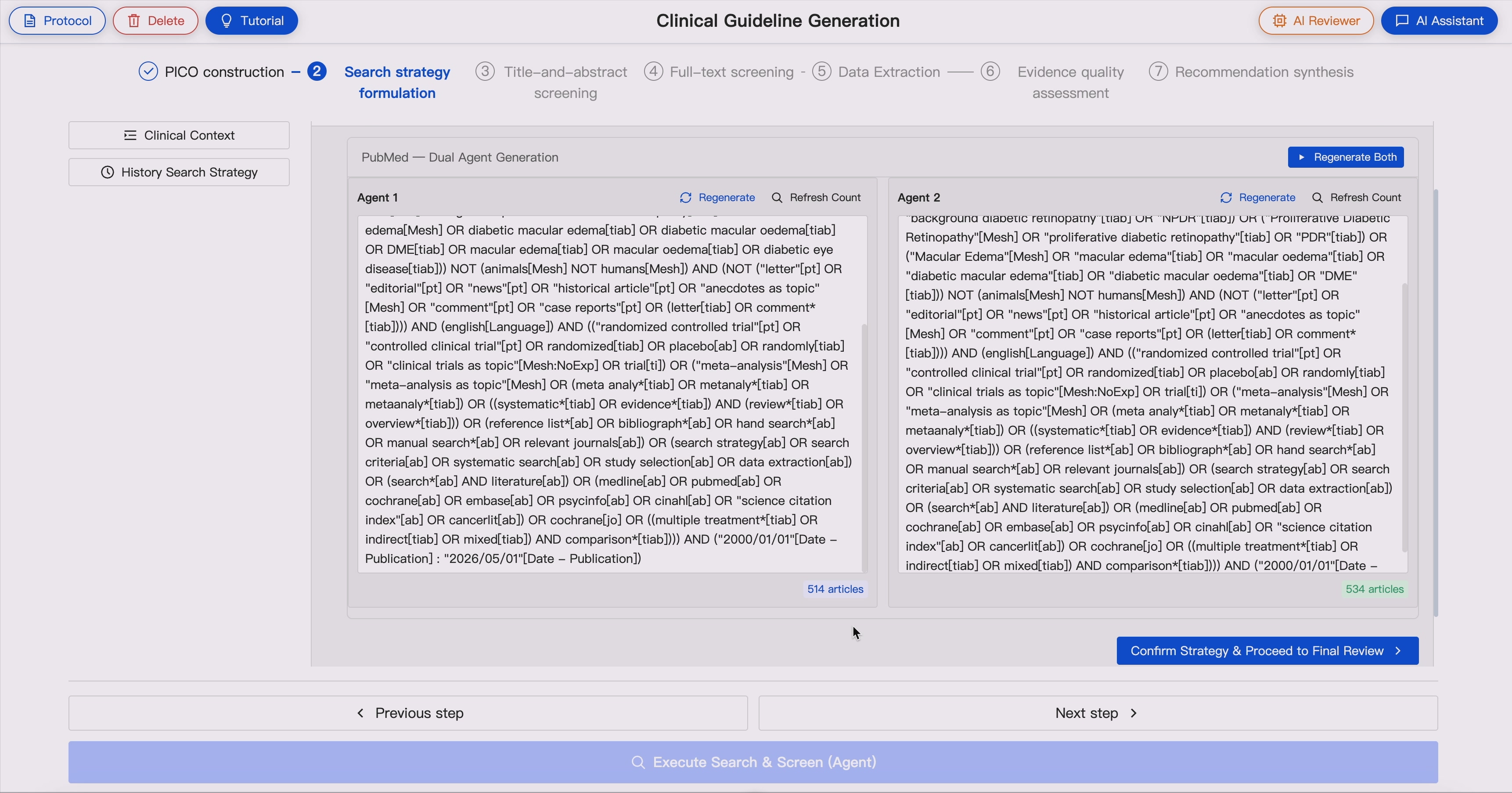
Generate database-specific search strategies from **Review Protocol**, including:
- Dataset-specific Boolean queries
- MeSH term expansion
- Synonym and concept expansion
- Study-design filters when needed
GUIDE supports dual-agent search strategy generation, where two LLM agents with different LLM configurations independently generate search strategies. AI reviewer compares retrieval results and flags potential unreliable searches, such as large discrepancies in retrieval volume or low overlap between search outputs.
### 3. Literature Retrieval 🔍 ➡️ 📚📚📚
Execute literature searches through biomedical databases and retrieve:
- Article titles
- Abstracts
- Metadata
- Author information
- Publication dates
- Journal information
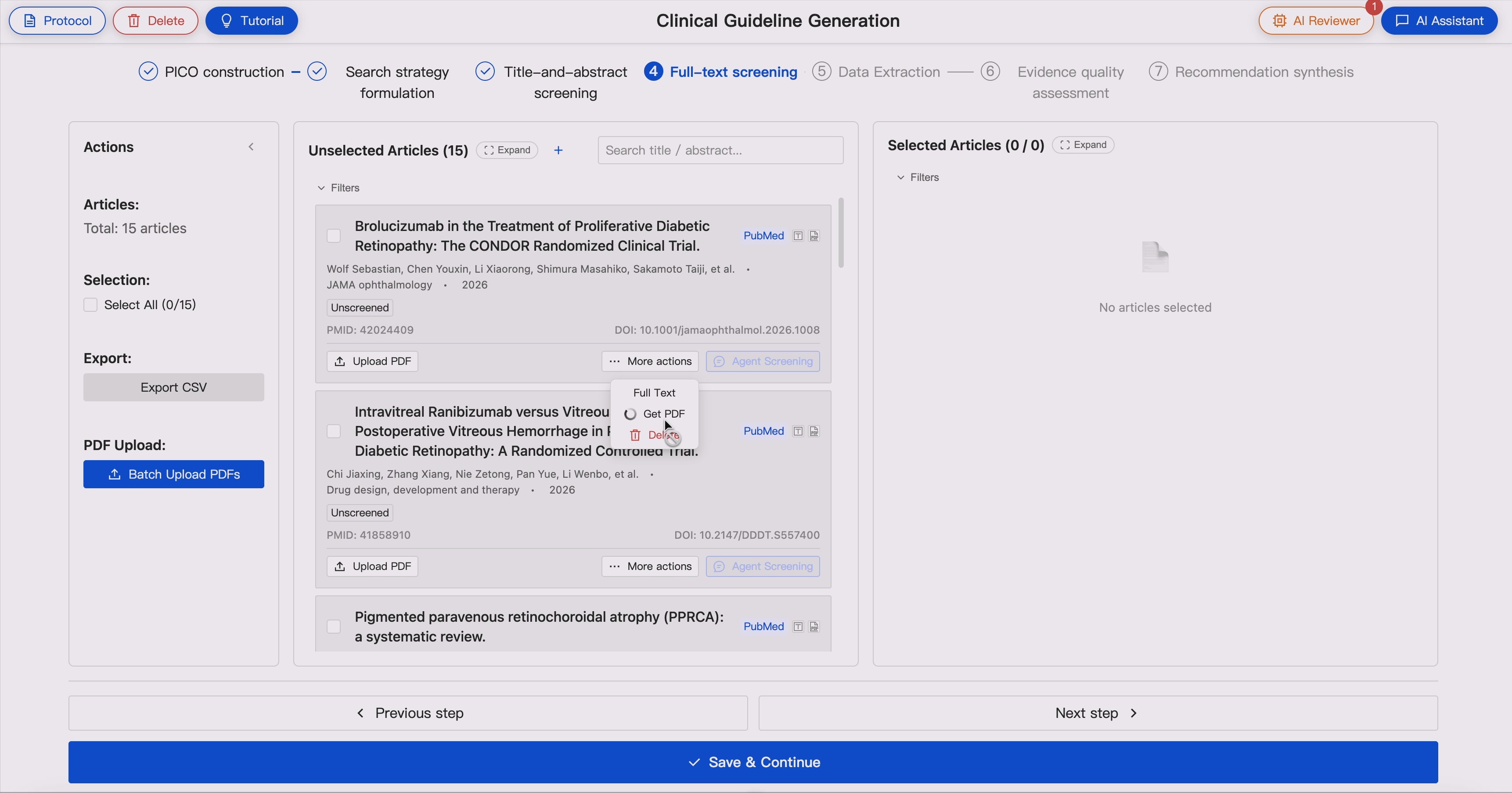
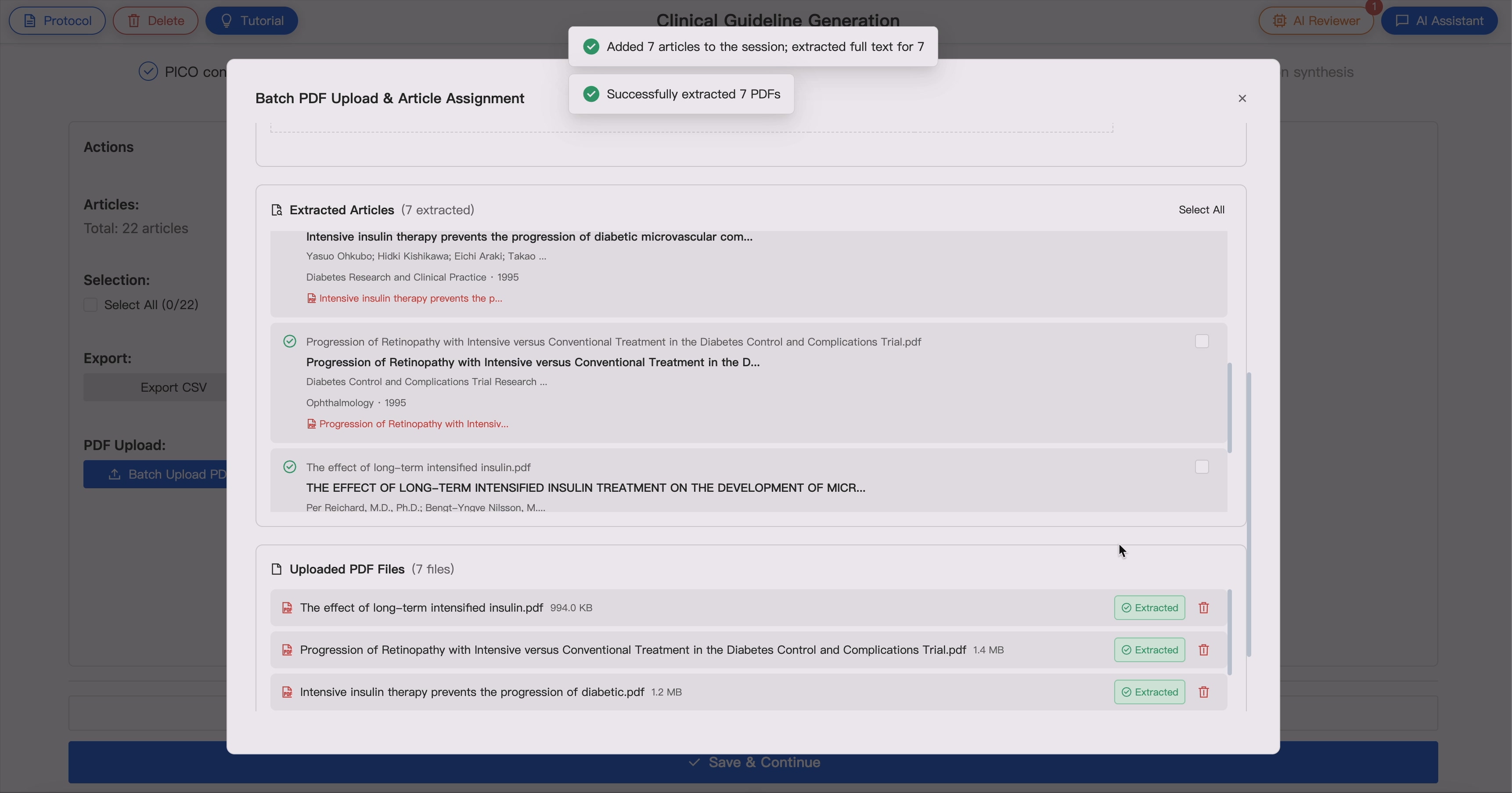
- Full-text PDFs when available
Supported sources include:
- For Large-scale article retrieval:
- **PubMed** via NCBI Entrez / E-utilities
- **Scopus** via Elsevier API
- For Exact Article PDF retrieval:
- Optional scholarly enrichment through **OpenAlex, Semantic Scholar, and Crossref**
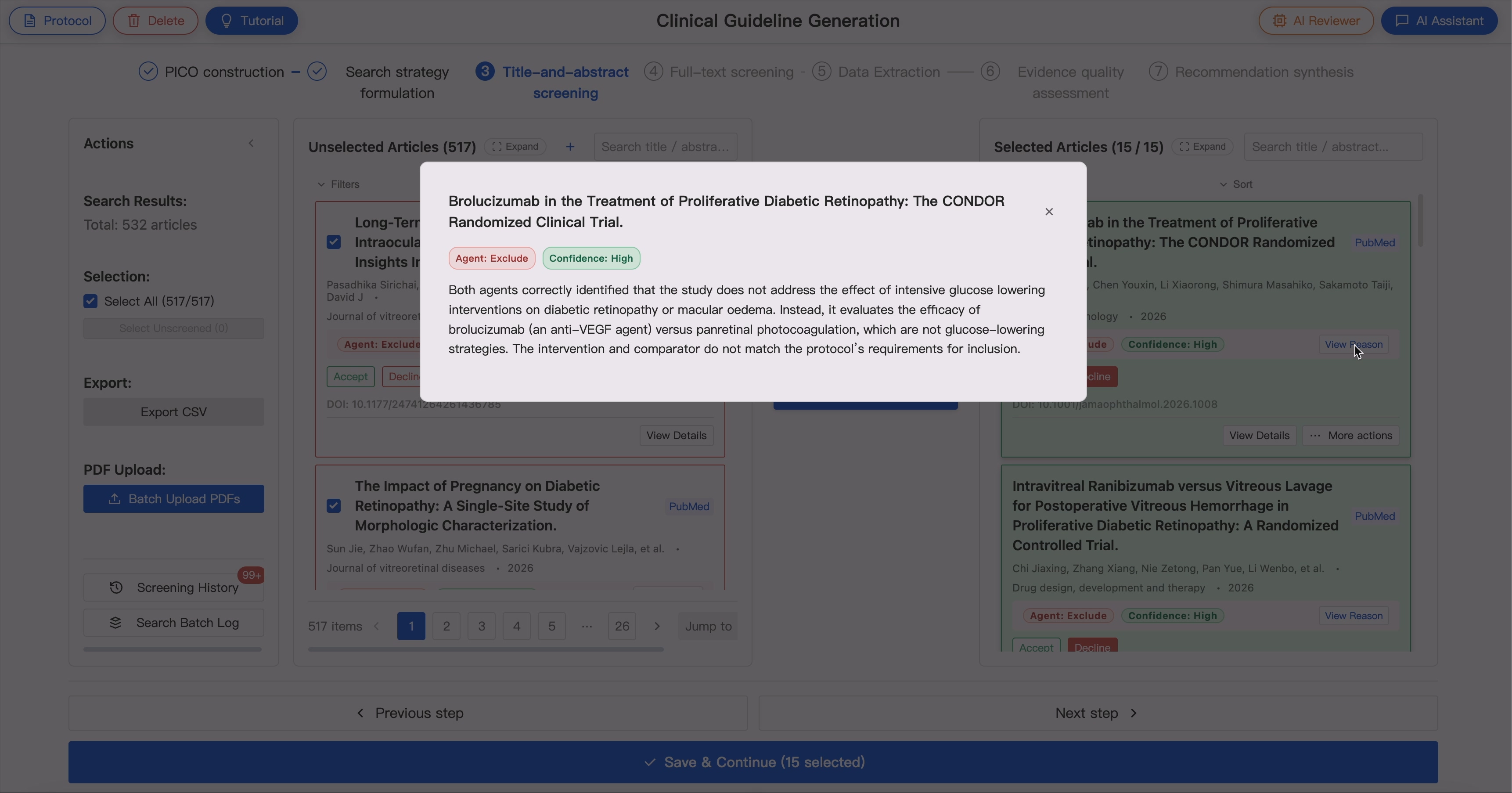
### 4. Two-Stage Article Screening 📚📚📚 ➡️ ✨📚✨
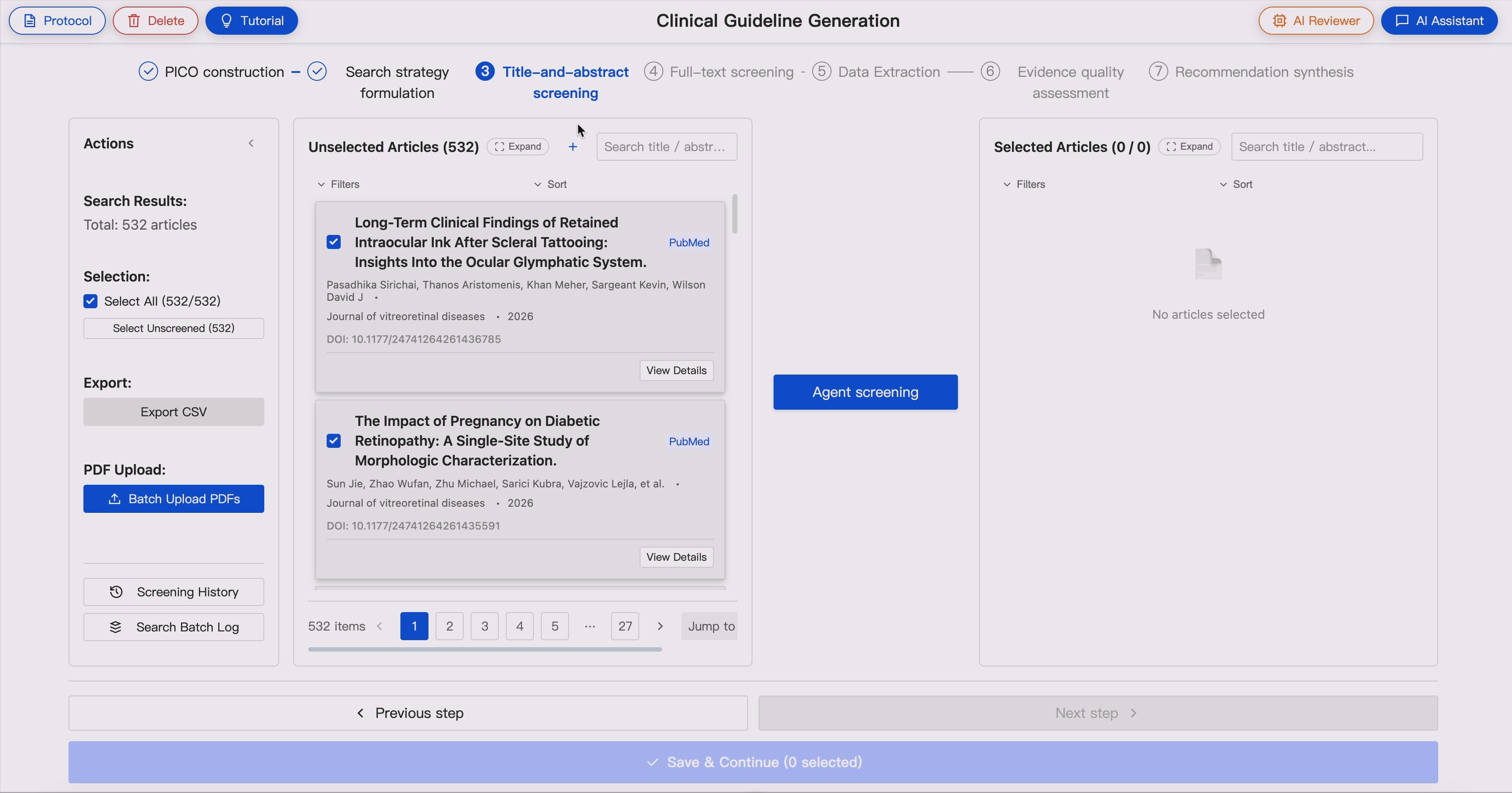
GUIDE supports sequential evidence screening:
- **Title and abstract screening**
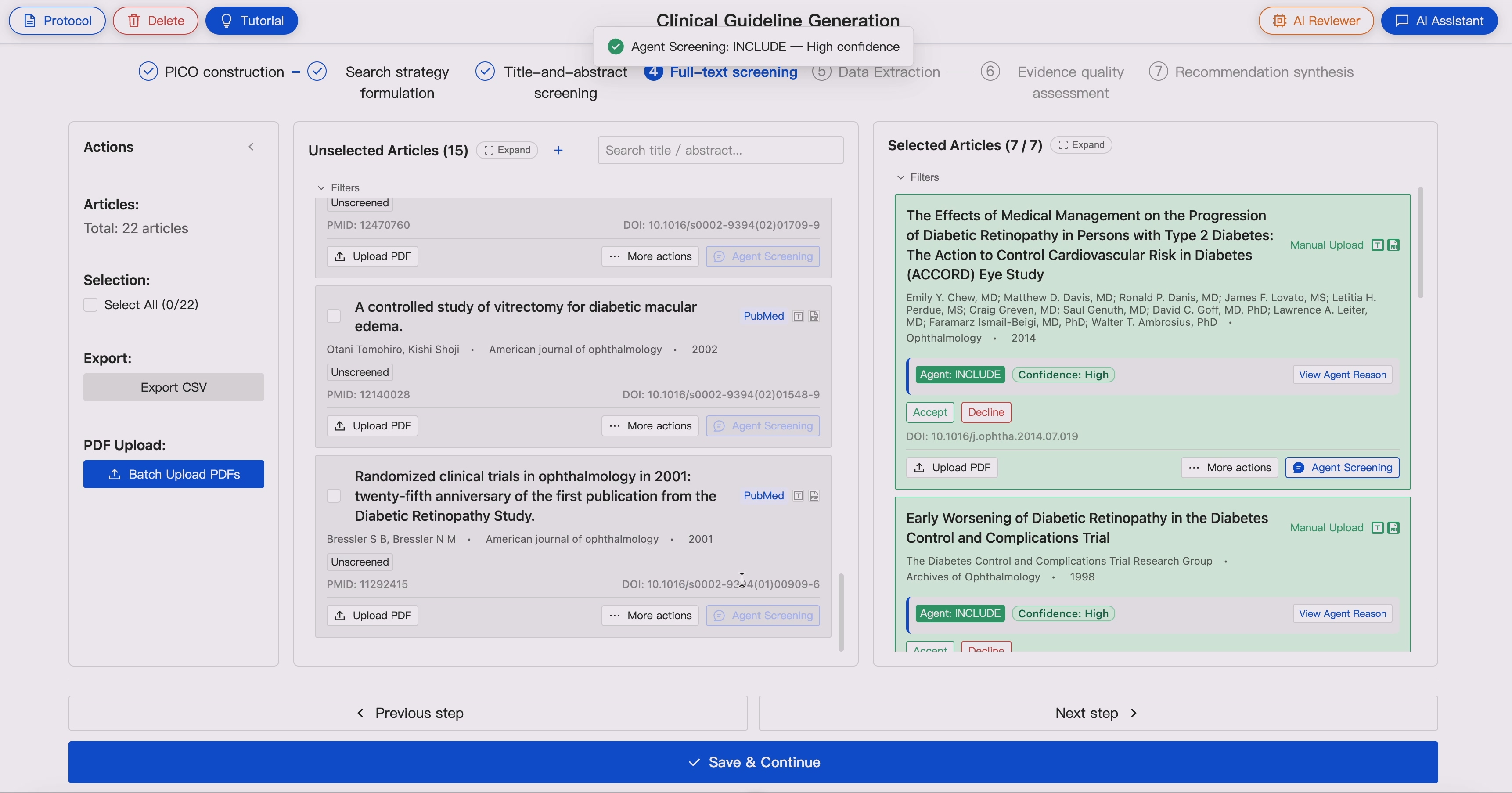
- **Full-text eligibility assessment**
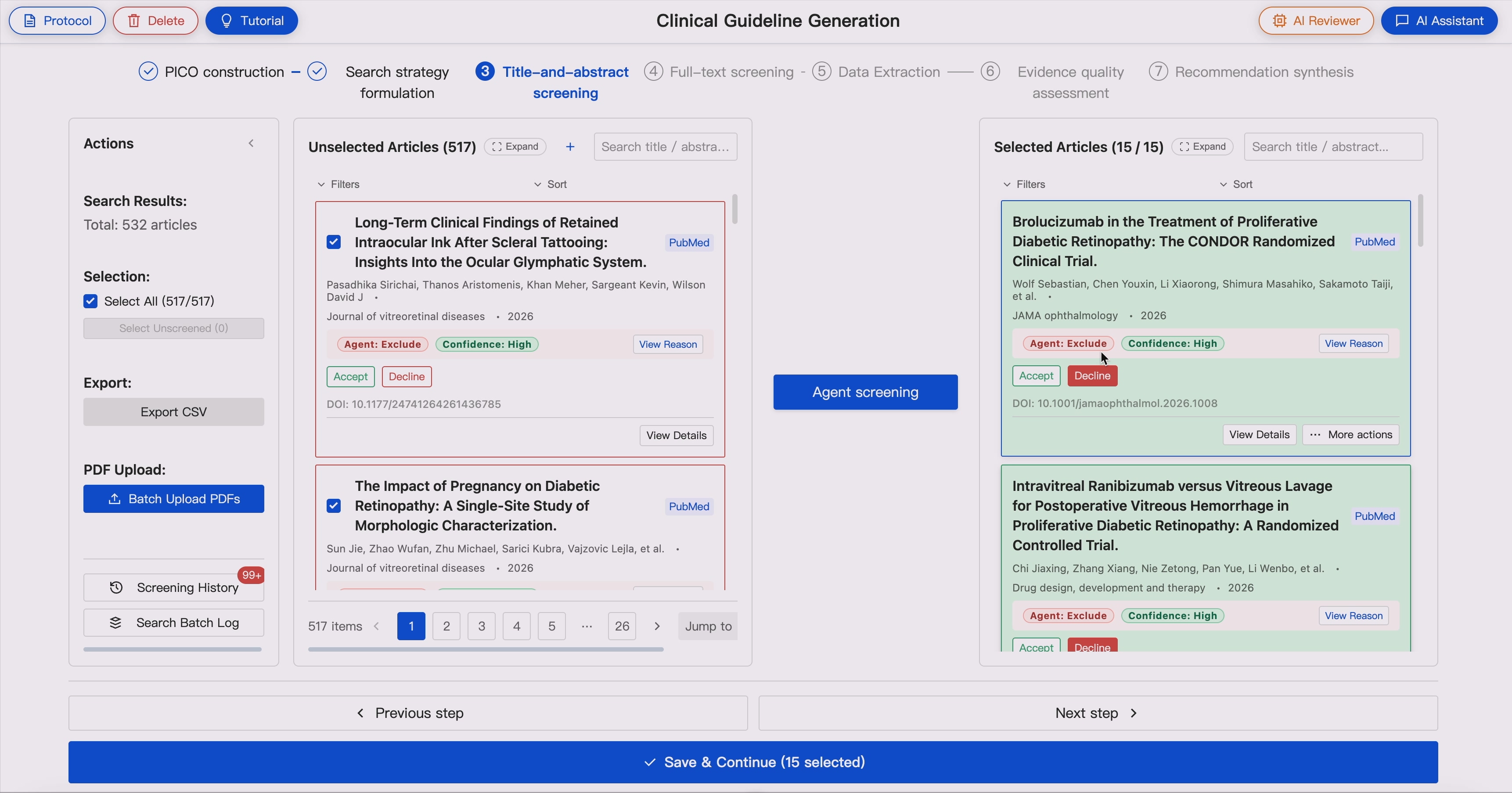
Screening agents evaluate articles against the Protocol-derived inclusion and exclusion criteria and provide:
- Include / exclude decisions
- Rationale
- Confidence levels
- Disagreement flags
In dual-agent mode, two independent agents screen the same evidence pool. When disagreement occurs, the AI reviewer triggers expert adjudication.
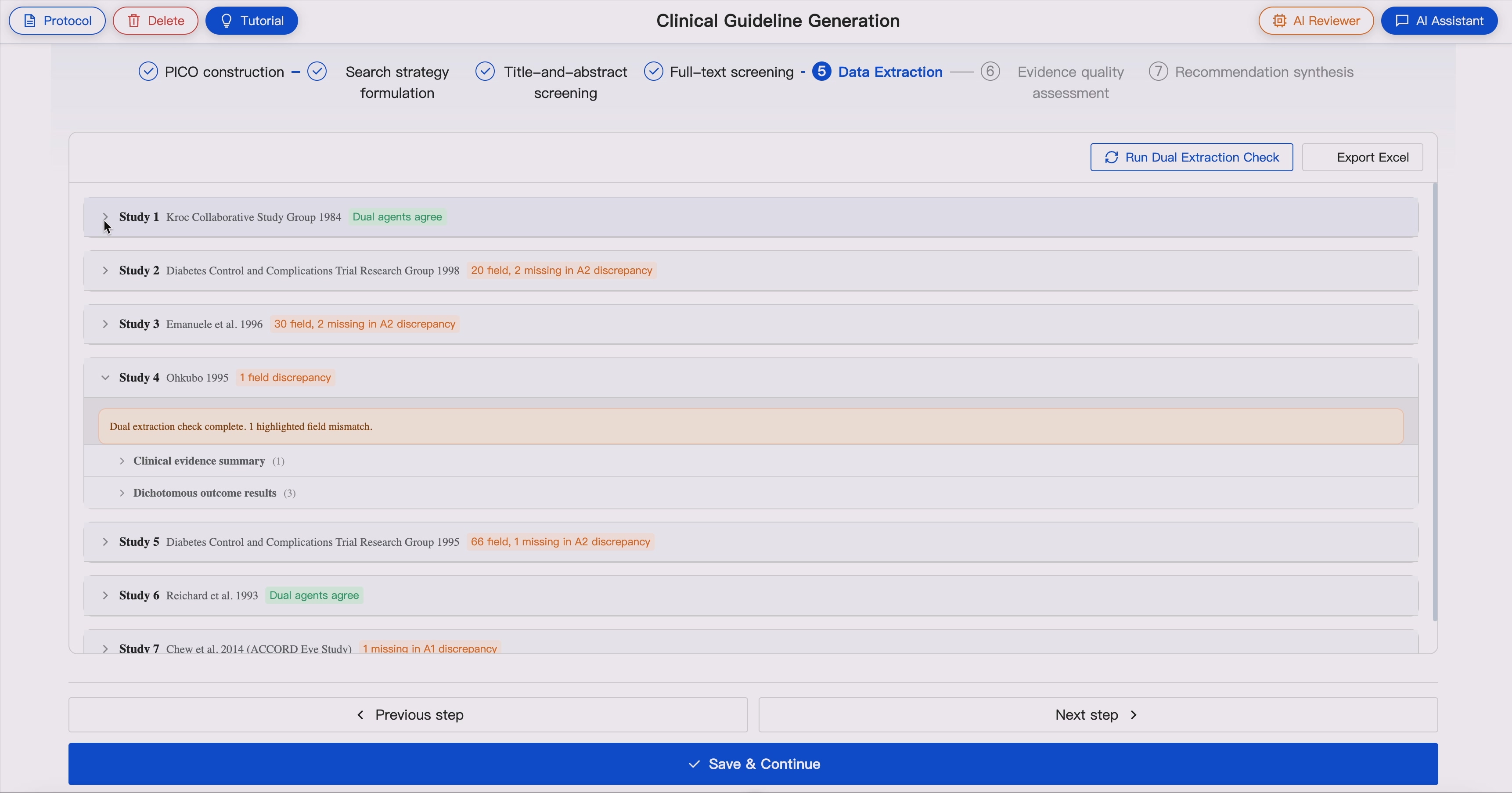
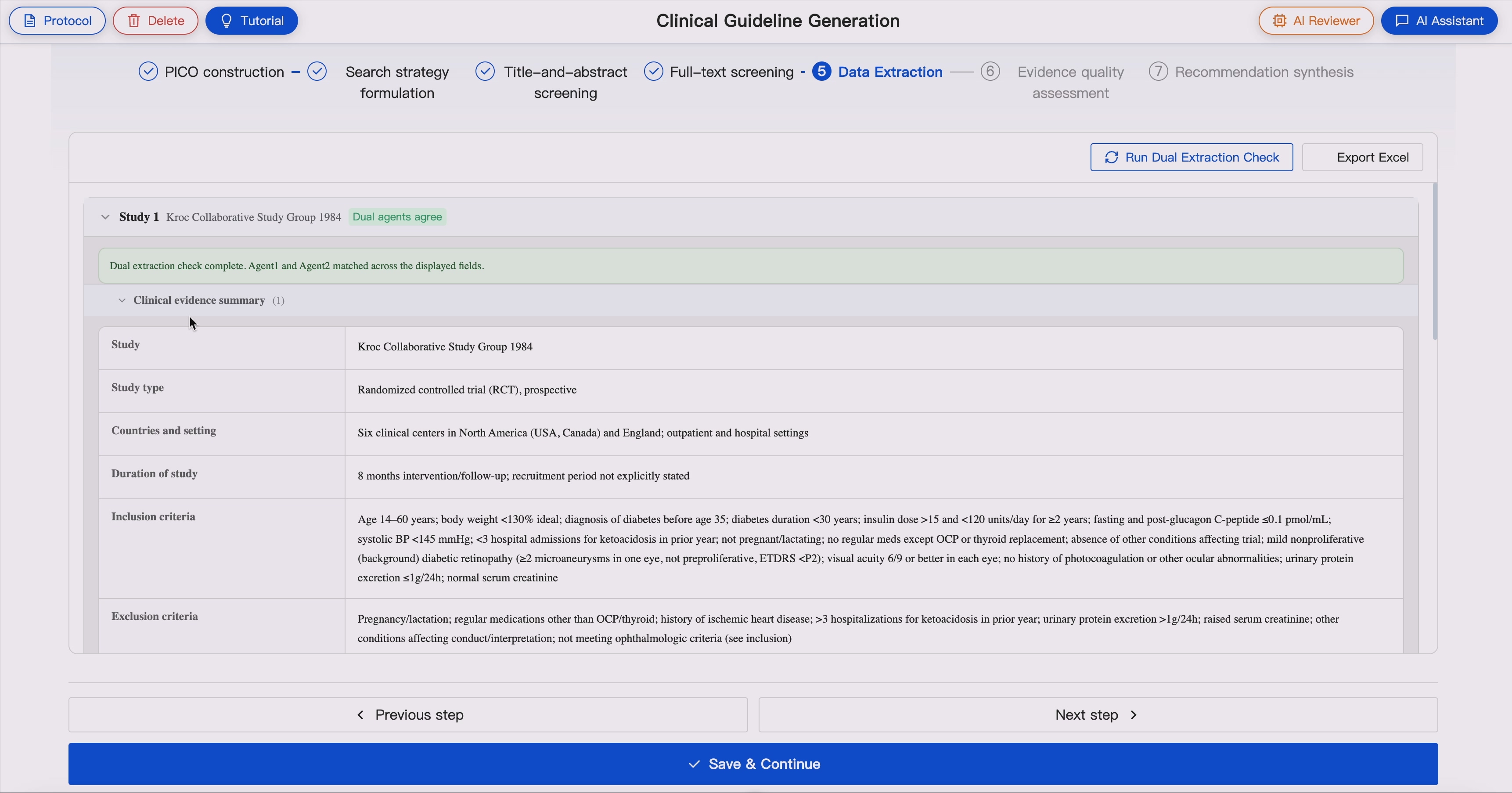
### 5. Full-Text Evidence Extraction 📚 ➡️ 📖
For included studies, GUIDE extracts structured evidence from full-text articles to support guideline evidence tables and downstream evidence synthesis.
The extracted information includes:
- Study identifier
- Study type and design
- Countries and study setting
- Study duration, recruitment period, intervention duration, and follow-up duration
- Inclusion criteria
- Exclusion criteria
- Recruitment or participant selection methods
- Participant characteristics, including age, gender/sex, and family origin or ethnicity where reported
- Population indirectness assessment
- Intervention and comparator details for each study arm
- Number of participants in each study arm
- Funding sources
- Conflict-of-interest information
- Protocol-defined outcomes reported in the study
- Actual outcome names used in the original study
- Outcome measurement tools or definitions
- Outcome time points
- Mapping between protocol outcomes and study-reported outcomes
- Protocol outcomes not reported by the study
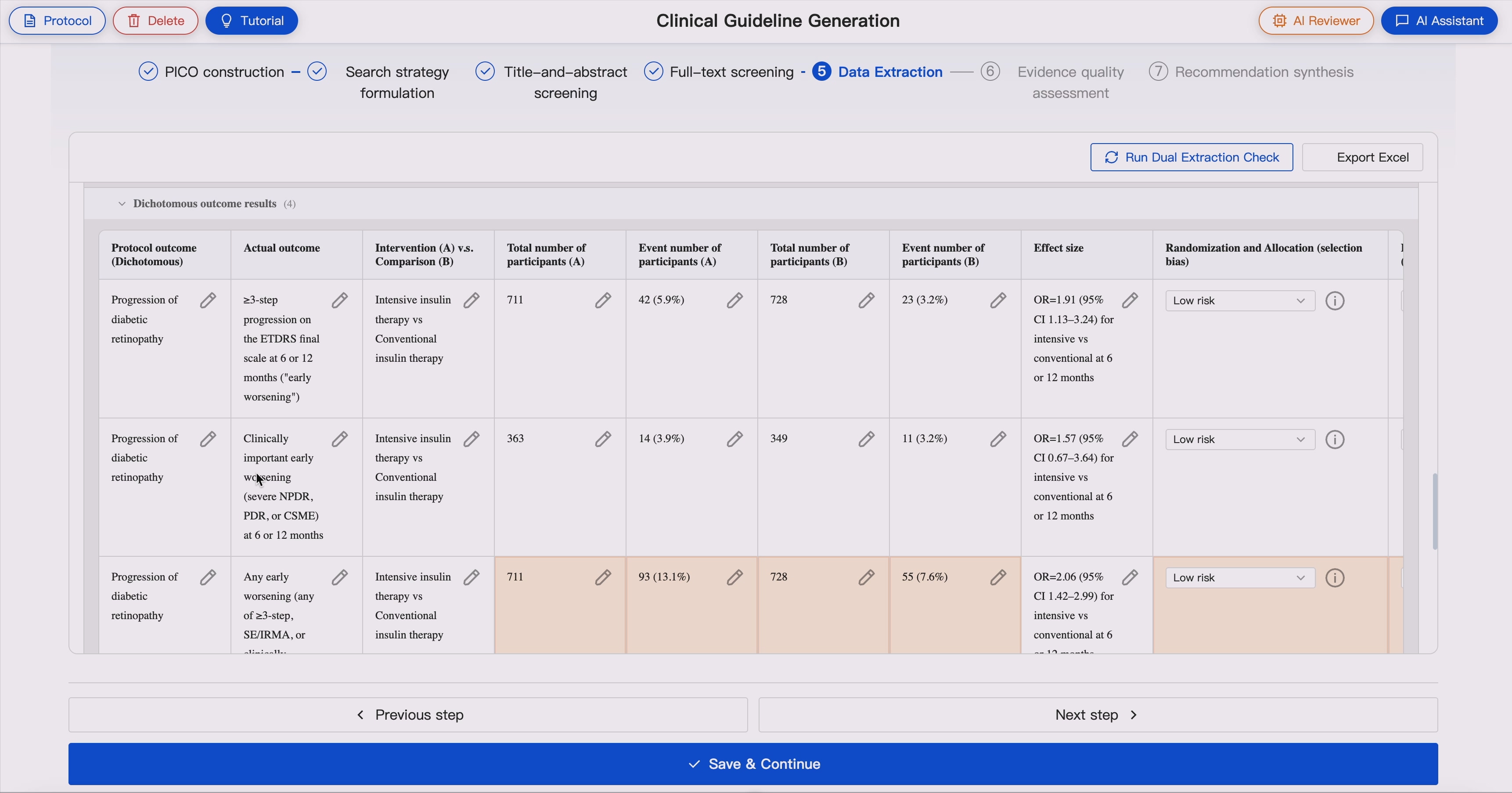
GUIDE supports extraction of multiple outcome types, including:
- Dichotomous or binary outcomes
- Continuous outcomes
- Time-to-event outcomes
- Ordinal outcomes
- Count outcomes
- Rate outcomes
- Repeated-measure outcomes
GUIDE also extracts numerical results into structured tables according to outcome type, including:
- Group totals
- Event numbers
- Numerical values
- Time-to-event values
- Counts, rates, proportions, or percentages
- Diagnostic accuracy data
- Effect estimates
- Confidence intervals
- P values
- Other study-reported statistics
GUIDE supports text and table extraction from PDFs. When informationis missing, unclear, or not applicable, system marks it explicitly to support transparent expert review.
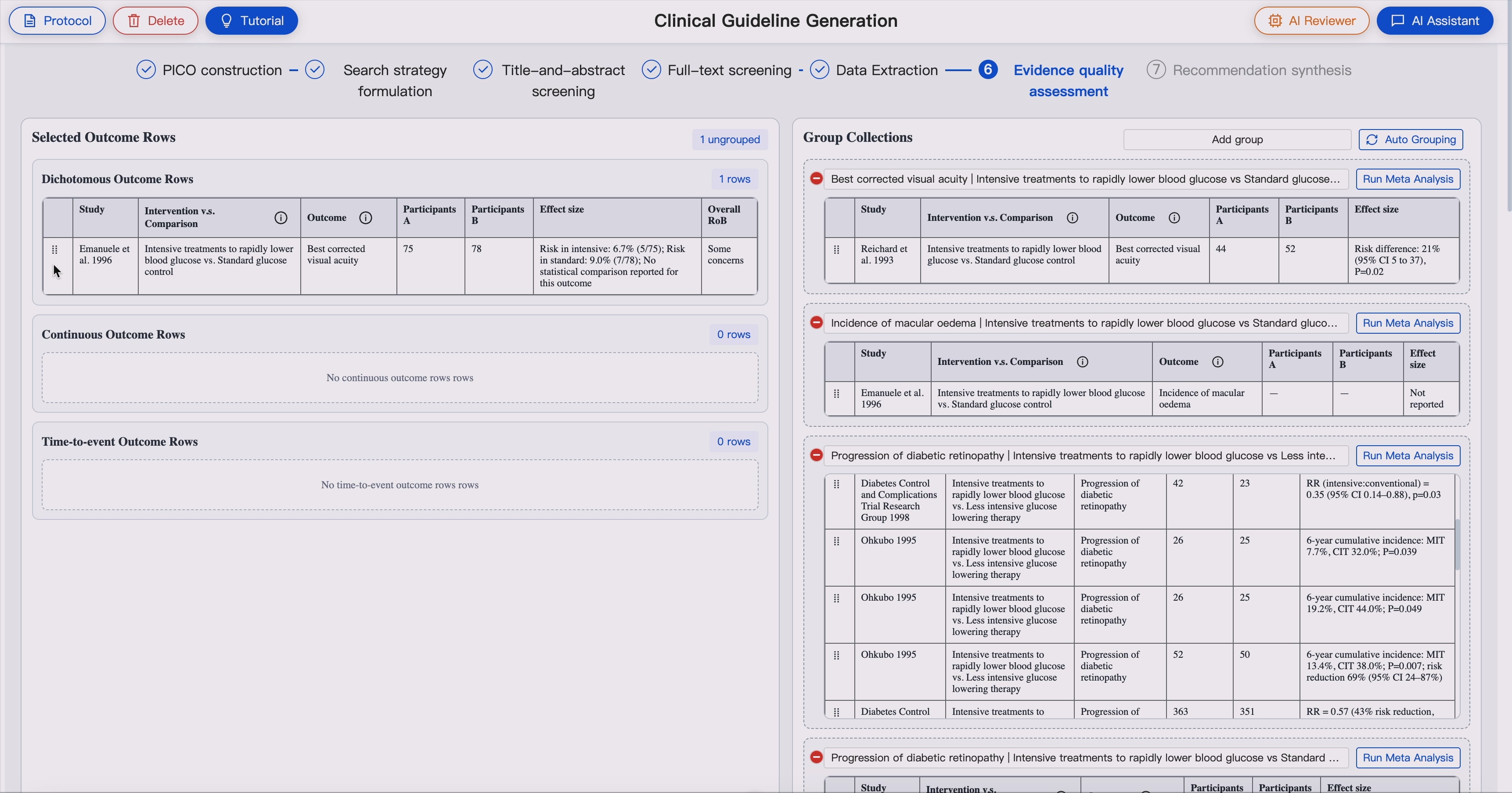
### 6. GRADE-Based Effect Estimate and Quality Assessment 💯📈
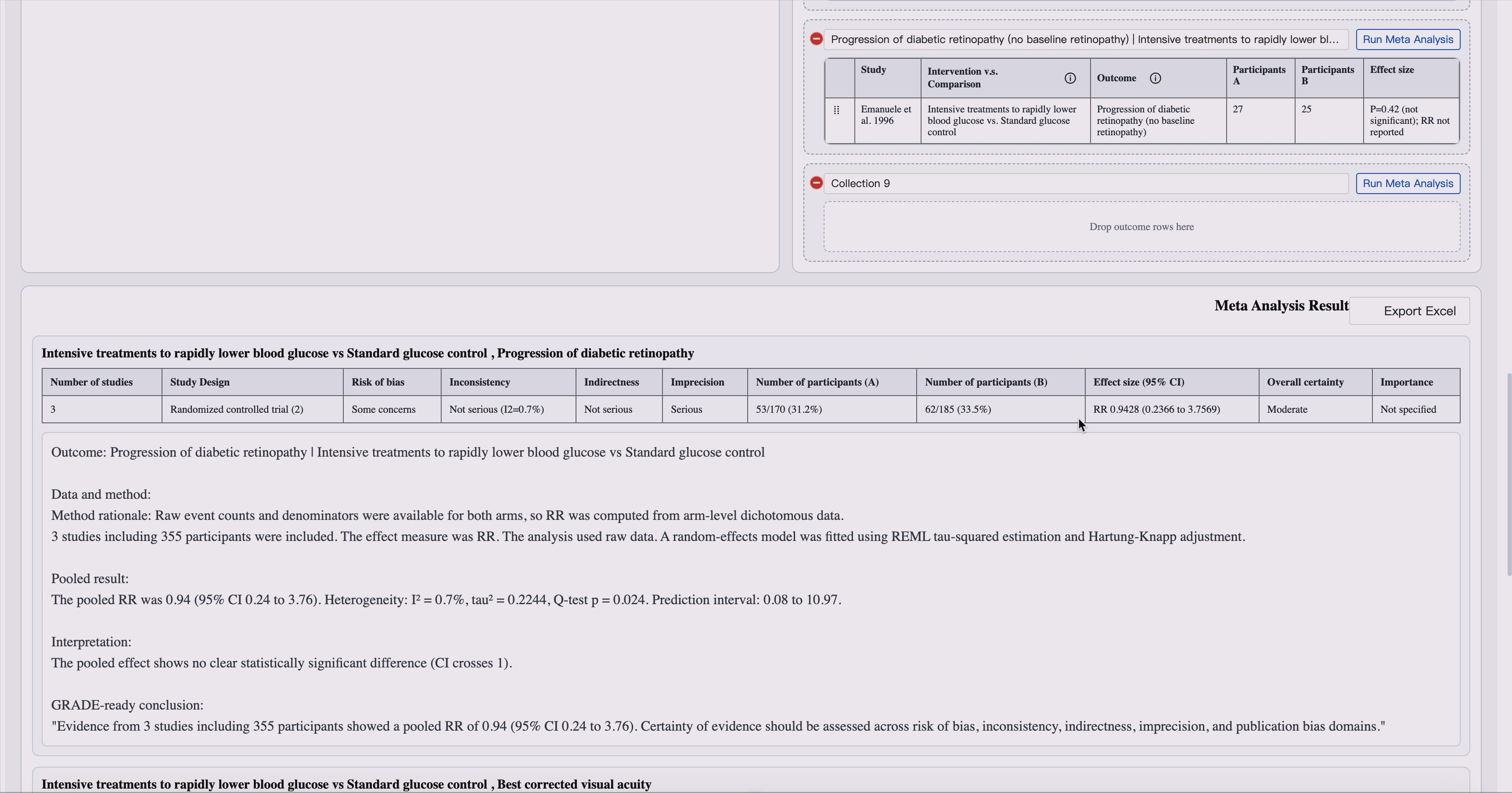
GUIDE supports GRADE-ready evidence synthesis by selecting an appropriate effect-estimate approach for each outcome before certainty assessment.
For each outcome, GUIDE identifies:
- Outcome type
- Study design
- Available effect measure
- Follow-up time point
- Crude or adjusted estimate
- Comparability of outcome definitions
- Direction of benefit
- Whether meta-analysis is appropriate
Domain experts group study-level outcomes into comparison- and outcome-level evidence bodies for effect synthesis.
GUIDE supports effect estimates including:
- Risk ratio (RR)
- Odds ratio (OR)
- Hazard ratio (HR)
- Risk difference (RD)
- Mean difference (MD)
- Standardized mean difference (SMD)
- Hedges g
- Rate ratio or incidence rate ratio (IRR)
- Sensitivity and specificity
- Likelihood ratios
- Diagnostic odds ratio
- Single-arm proportion, mean, or rate
When appropriate, GUIDE calculates pooled effect estimates using random-effects meta-analysis via R script.
GUIDE then supports GRADE-oriented certainty assessment across key domains:
- Risk of bias
- Indirectness
- Imprecision
- Inconsistency
- Publication bias
- Overall certainty of evidence
AI agents can perform preliminary effect-estimate synthesis and grading, while expert review remains central for judgment-intensive domains and final certainty decisions.
### 7. Body-of-Evidence Assembly
GUIDE organizes extracted study-level evidence into structured bodies of evidence for each clinical outcome.
This includes:
- Outcome-level evidence tables
- Study-level effect summaries
- Cross-study comparison
- Inconsistency analysis
- Certainty-of-evidence profiles
- Evidence summaries ready for recommendation drafting
### 8. Delphi-Style Multi-Agent Consensus
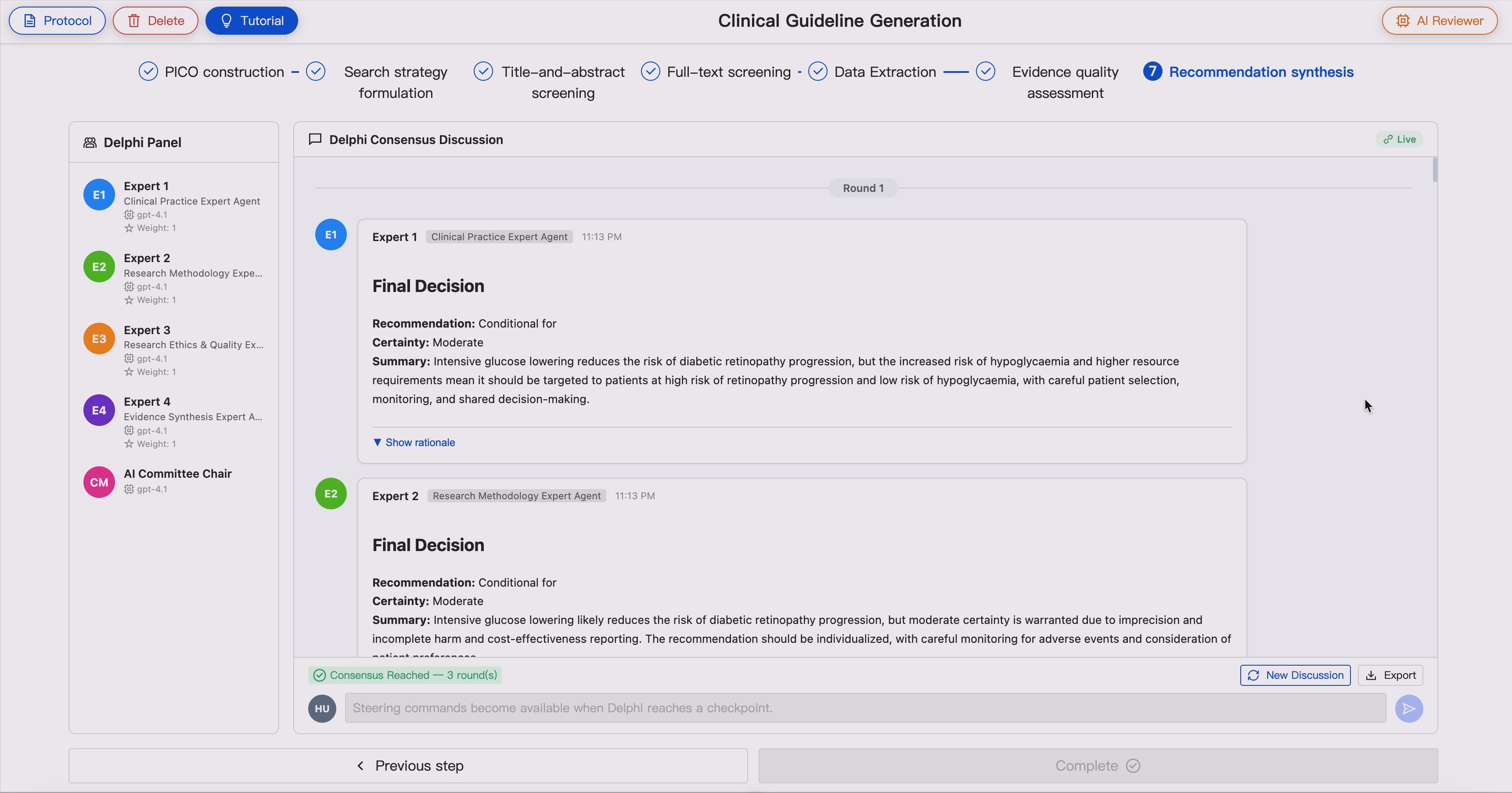
GUIDE includes a multi-agent virtual consensus module that simulates a guideline committee.
Supported roles may include:
- Clinical Practice Expert
- Research Methodology Expert
- Evidence Synthesis Expert
- Research Ethics and Quality Expert
- Biostatistician
- Health Economics Expert
- Patient and Public Representative
- Health Policy and Implementation Expert
Each AI panelist provides an independent role-specific assessment. A committee chair agent synthesizes agreement, disagreement, and unresolved issues. Multiple deliberation rounds can be conducted until consensus criteria are met or expert intervention is required.
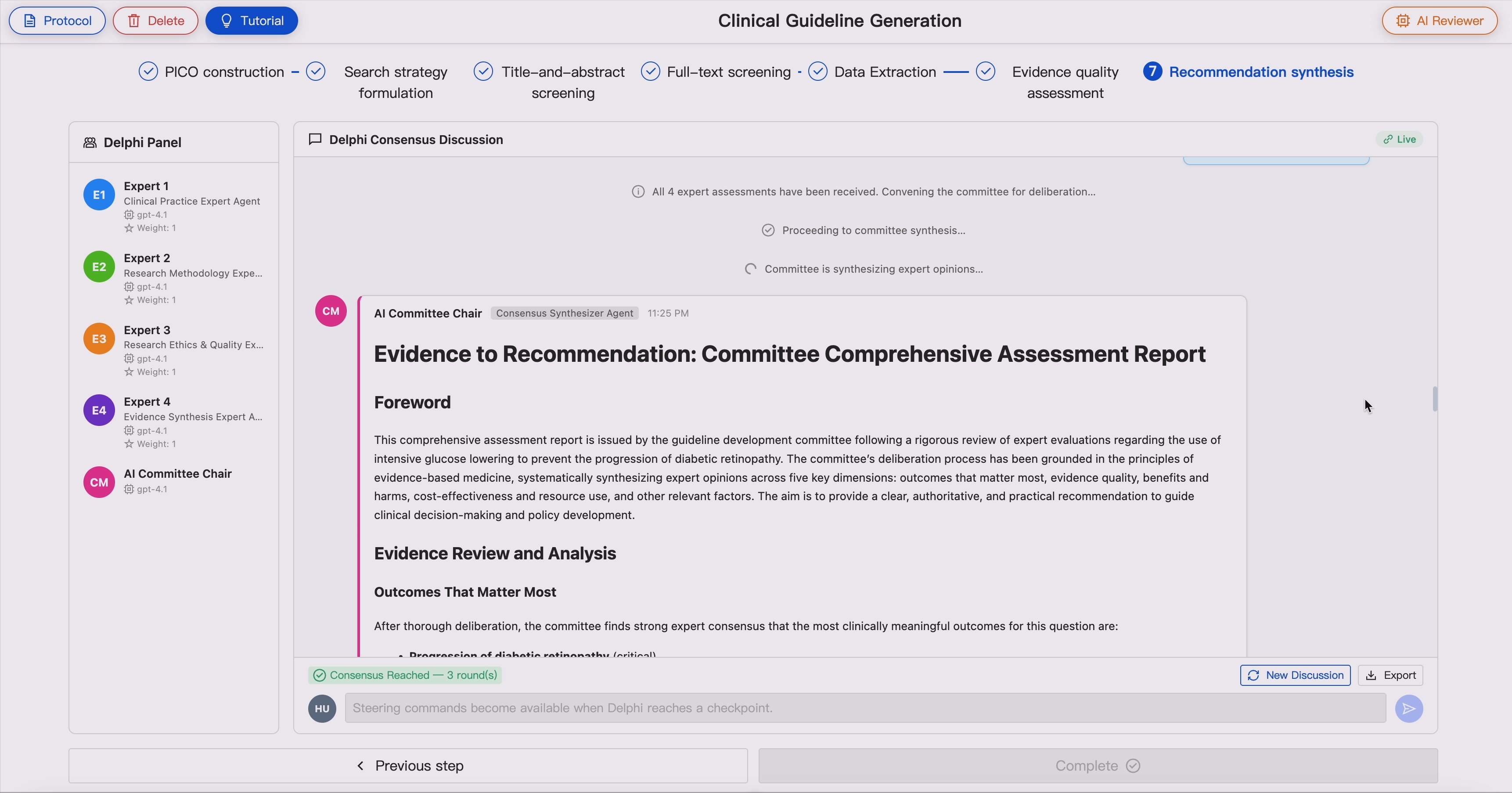
### 9. Evidence-to-Recommendation Synthesis
GUIDE supports structured Evidence-to-Recommendation synthesis by integrating:
- Benefits and harms
- Certainty of evidence
- Outcome importance
- Clinical applicability
- Cost and resource considerations
- Patient values and preferences
- Implementation considerations
This module helps bridge the gap between evidence appraisal and clinically interpretable recommendations.
### 10. Human-in-the-Loop Reviewer Mechanism
GUIDE is built around an AI reviewer triggered governance model.
The AI reviewer can flag:
- Search result discrepancies
- Low overlap between retrieval strategies
- Screening disagreements
- Inconsistent extracted data
- Divergent certainty ratings
- Potential methodological concerns
- Low-confidence decisions
This design allows experts to focus on high-value arbitration rather than continuously monitoring every automated step.
### 11. AI Assistant Interface
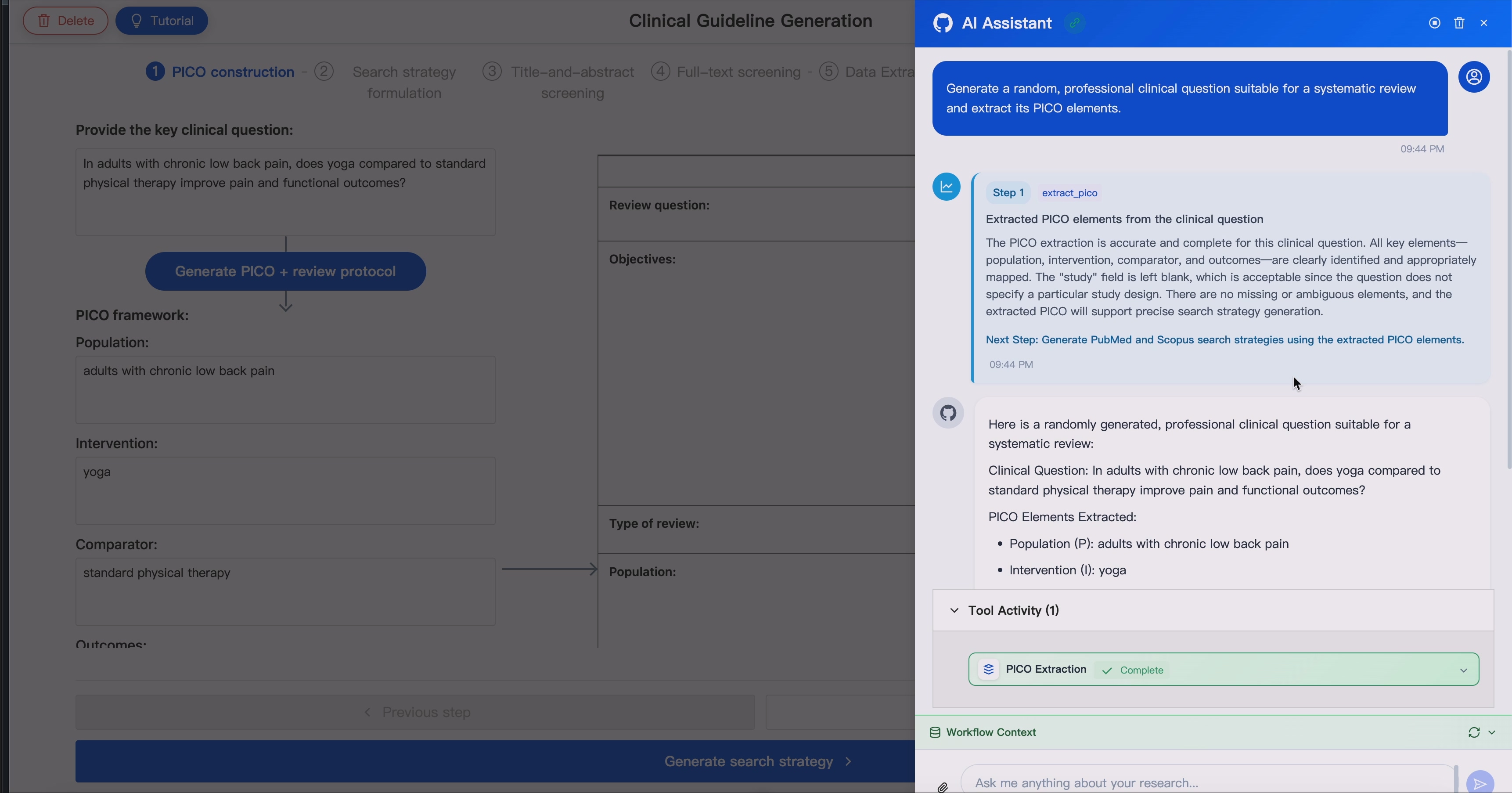
A LangChain-based conversational agent orchestrates the workflow through natural language.
The Assistant can:
- Call internal workflow tools
- Maintain context across sessions
- Stream tool execution events through WebSocket
- Delegate long-running tasks to specialized agents
- Translate expert instructions into executable operations
- Help revise search strategies, screening criteria, or evidence tables